

Diagram Overview
effect-analyzer produces Mermaid diagrams that visualize the structure of your Effect programs. When you run the analyzer without specifying a format, auto mode examines your program and selects the most informative views.
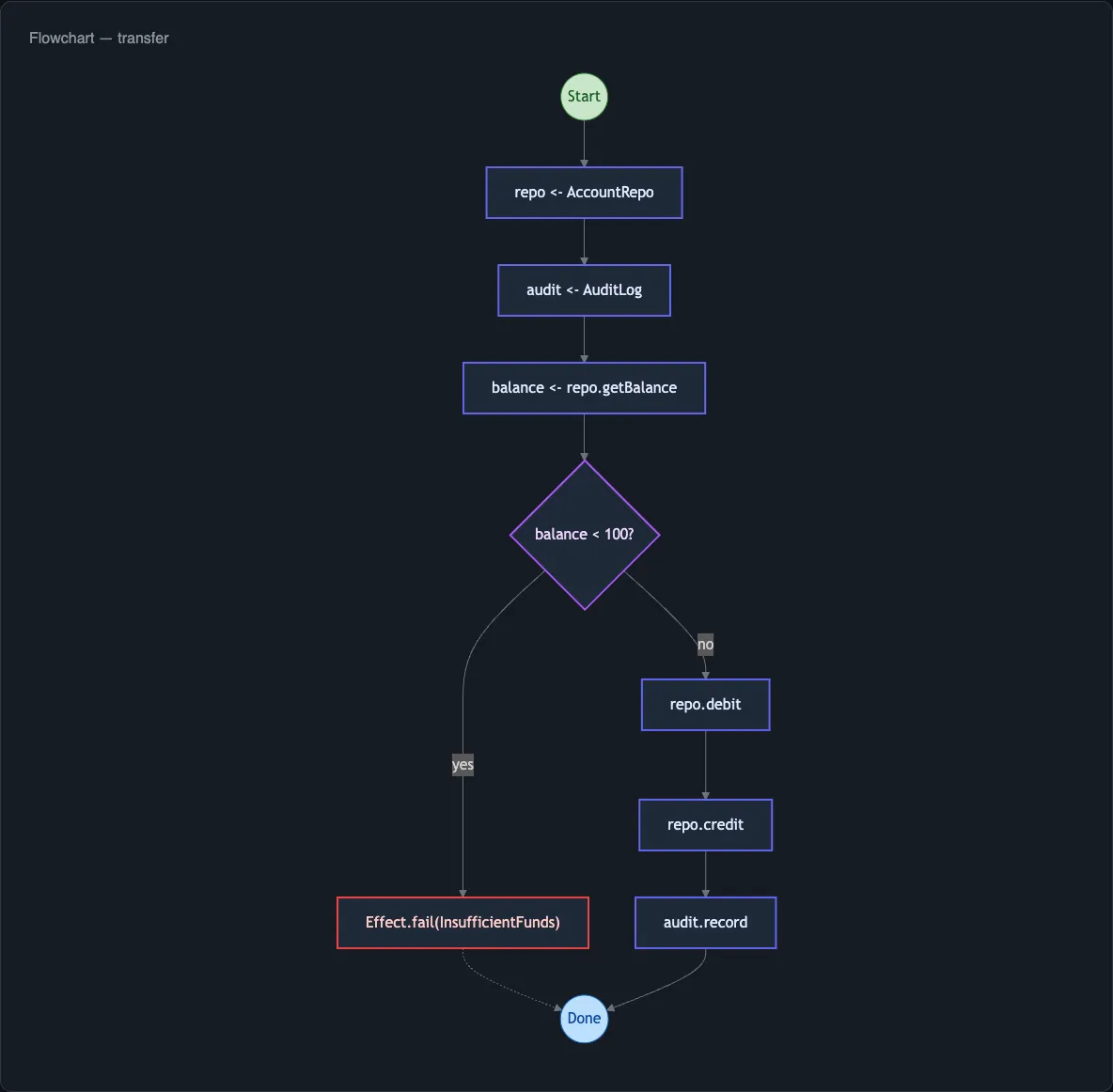
Auto Mode
Section titled “Auto Mode”Auto mode is the default behavior when you run:
npx effect-analyze ./src/program.tsIt always produces a baseline diagram - railway for simple programs, flowchart for complex ones - plus up to two specialized views based on what your program contains. The selection uses a combination of hard rules and soft heuristics.
Hard Rules
Section titled “Hard Rules”Certain IR patterns always trigger a specific diagram type:
| Pattern Detected | Diagram Selected |
|---|---|
Effect.all with concurrency, Effect.race | Concurrency view |
Conditional branches, Effect.if | Decision tree |
Effect.loop, Effect.iterate | Standard flowchart |
| Multiple services or layers | Service map |
Soft Heuristics
Section titled “Soft Heuristics”When hard rules do not apply, the analyzer scores your program on several dimensions:
- Complexity - low cyclomatic complexity favors railway; high complexity favors flowchart
- Error density - many error types or handlers trigger the error flow view
- Service count - programs with several
Context.Tagdependencies get a service map - Retry/timeout presence - retry or timeout nodes trigger the retry timeline view
- Layer composition - programs with
Layer.provideorLayer.mergeget a layer graph
The inferBestDiagramType function implements the baseline selection:
import { inferBestDiagramType } from "effect-analyzer"
const type = inferBestDiagramType(ir)// Returns 'railway' or 'mermaid'
Overriding Auto Mode
Section titled “Overriding Auto Mode”Specify a format explicitly to bypass auto-detection:
npx effect-analyze ./src/program.ts --format mermaid-servicesAvailable Diagram Types
Section titled “Available Diagram Types”Mermaid Diagrams
Section titled “Mermaid Diagrams”effect-analyzer includes 15 Mermaid diagram renderers, each optimized for a different aspect of your program:
| Format | Description |
|---|---|
mermaid | Standard flowchart showing all control-flow paths |
mermaid-railway | Linear happy path with error branches - best for sequential programs |
mermaid-paths | All execution paths rendered as separate flows |
mermaid-enhanced | Rich annotations per node (types, services, errors) |
mermaid-services | Service dependency map showing which steps require which services |
mermaid-errors | Error handling and propagation visualization |
mermaid-decisions | Conditional branching tree |
mermaid-causes | Cause and Exit error wrapping hierarchy |
mermaid-concurrency | Parallel and race patterns with fork/join structure |
mermaid-timeline | Step sequence displayed as a timeline |
mermaid-layers | Layer composition and dependency graph |
mermaid-retry | Retry and timeout strategy visualization |
mermaid-testability | Which steps need mocking and what to test |
mermaid-dataflow | Data dependencies between steps in a pipeline |
Structured Output
Section titled “Structured Output”| Format | Description |
|---|---|
json | Full IR as JSON - use for tooling integration |
stats | Complexity metrics and analysis statistics |
explain | Plain-English narrative of what the program does |
summary | One-line description per program |
matrix | Program-by-service dependency table |
showcase | Detailed step-by-step breakdown with annotations |
API Documentation
Section titled “API Documentation”| Format | Description |
|---|---|
api-docs | Extract HttpApi structure to markdown |
openapi-paths | Minimal OpenAPI paths for spec merging |
openapi-runtime | Full OpenAPI spec via runtime OpenApi.fromApi |
Diagram Direction
Section titled “Diagram Direction”Control the flow direction of Mermaid diagrams with the --direction flag:
npx effect-analyze ./src/program.ts --direction LR| Value | Direction |
|---|---|
TB | Top to bottom (default for flowcharts) |
LR | Left to right (default for railway) |
BT | Bottom to top |
RL | Right to left |
Next Steps
Section titled “Next Steps”- Railway Diagrams - the linear happy-path view in detail
- Service Maps - visualizing service dependencies
- All Formats - complete reference for every format